
Food Wise1.81 - App Store
You'll be able to see results in few seconds.
Publisher Description

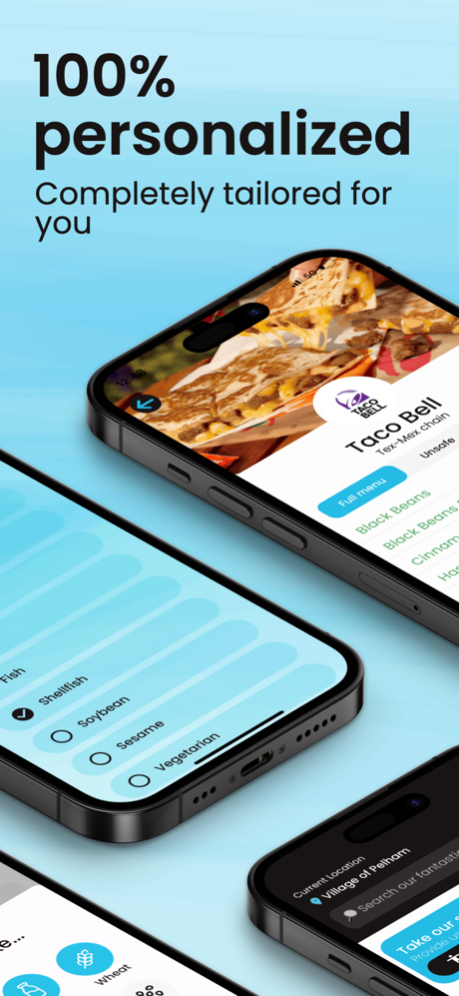
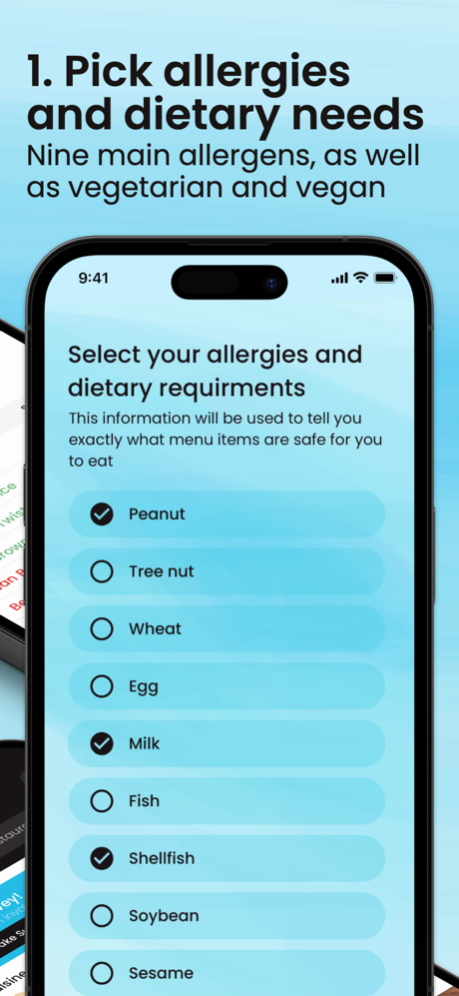

Food Wise is the ultimate tool for people with food allergies and dietary requirements. Find safe dining options tailored to your specific food allergies and dietary preferences. Food Wise not only tells you what menu items are safe for you to eat at restaurants worldwide based on your specific food allergies and dietary requirements, but also recommends establishments that cater to your specific needs. With a wide range of dietary requirement options, including the nine main allergens, vegetarian, and vegan, Food Wise allows you to fully customize your dining experience.
Navigate restaurant pages effortlessly as you filter menu items to identify what's safe or unsafe based on your selected dietary requirements. Gain detailed insights into the allergens present in each dish, ensuring peace of mind with every order. Whether you prefer chain restaurants or local gems, our app supports both, giving you the freedom to indulge in delicious meals without the constant worry of allergic reactions or consuming unwanted ingredients.
Unleash your palate, savor incredible flavors, and embark on culinary adventures without the worry of an allergic reaction or eating something you don't want to. Let Food Wise be your trusted companion, ensuring memorable dining experiences while prioritizing your health and well-being.
Nov 3, 2023
Version 1.81
We squashed some bugs!
About Food Wise
The company that develops Food Wise is Malachy Pearlman. The latest version released by its developer is 1.81.
To install Food Wise on your iOS device, just click the green Continue To App button above to start the installation process. The app is listed on our website since 2023-11-03 and was downloaded 0 times. We have already checked if the download link is safe, however for your own protection we recommend that you scan the downloaded app with your antivirus. Your antivirus may detect the Food Wise as malware if the download link is broken.
How to install Food Wise on your iOS device:
- Click on the Continue To App button on our website. This will redirect you to the App Store.
- Once the Food Wise is shown in the iTunes listing of your iOS device, you can start its download and installation. Tap on the GET button to the right of the app to start downloading it.
- If you are not logged-in the iOS appstore app, you'll be prompted for your your Apple ID and/or password.
- After Food Wise is downloaded, you'll see an INSTALL button to the right. Tap on it to start the actual installation of the iOS app.
- Once installation is finished you can tap on the OPEN button to start it. Its icon will also be added to your device home screen.
Program Details
System requirements
Download information
Pricing
Version History
version 1.81
posted on 2023-11-03
Nov 3, 2023
Version 1.81
We squashed some bugs!
version 1.8
posted on 2023-10-25
Oct 25, 2023
Version 1.8
We squashed some bugs!
version 1.7
posted on 2023-10-18
Oct 18, 2023
Version 1.7
We squashed some bugs!
version 1.6
posted on 2023-10-05
Oct 5, 2023
Version 1.6
We squashed some bugs!
version 1.5
posted on 2023-08-18
Aug 18, 2023
Version 1.5
We fixed some bugs!
version 1.4
posted on 2023-08-14
Aug 14, 2023
Version 1.4
We added support for more establishments!
Disclaimer
Official App Store Link
We do not host Food Wise on our servers. We did not scan it for viruses, adware, spyware or other type of malware. This app is hosted by Apple and passed their terms and conditions to be listed there. We recommend caution when installing it.
The App Store link for Food Wise is provided to you by apps112.com without any warranties, representations or guarantees of any kind, so access it at your own risk.
If you have questions regarding this particular app contact the publisher directly. For questions about the functionalities of apps112.com contact us.
